
Carbone Templating Cheat Sheet

Most templating tools are a scripting language in disguise. You end up writing if, for and end inside a Word document, and the person who designed the document can no longer read it.
Carbone took the other road. It is a small language with a handful of strict rules, built so that a tag can live inside a sentence, a table cell or a slide without breaking the layout, and so that the designer and the developer can look at the same file and both understand it.
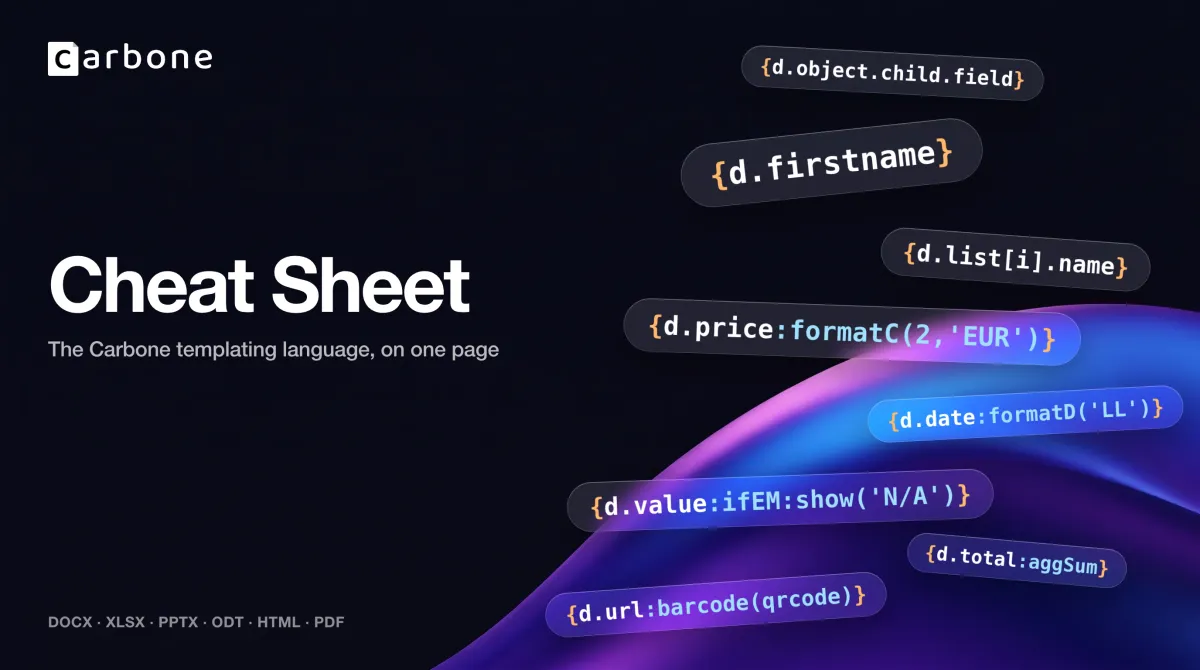
This page is that language, complete. Print the one-page version below if you like paper; the text that follows is the same content, searchable, with the real output of each example next to it.

The rules that never bend
Four rules. Learn them once and you will never write a tag that Carbone rejects.
- One pair of braces. A tag is
{…}. Not{{ }}, not<% %>. If you see double braces in a Carbone template, it came from another tool. - A tag starts with where the data lives.
d.for your JSON,c.for the complement object,$for an alias,t(for a translation,o.for an option. There is nothing else. - Everything after the path is a formatter, chained with a colon.
{d.price:mul(.qty):formatC(2)}reads left to right: take the price, multiply it, format it. Formatters chain, they never nest. - There are no statements. No
if, nofor, noend. Repetition is a pair of tags,[i]and[i+1]. Conditions are formatters. If a pattern is not on this page, it does not exist in Carbone.
Two details that look small and are not: arguments use straight single quotes, never double quotes, and a tag contains no spaces, except inside a key name wrapped in single quotes, {d.'first name'}.
1. Print a value
| You want | You write | With this data, you get |
|---|---|---|
| a key | {d.field} |
FIELD |
| a nested key | {d.object.key} |
KEY |
| the parent's key, from inside a child | {d.object.child..field} |
PARENTFIELD |
| the first item of a list | {d.list[0].item} or {d.list[i=0].item} |
first |
| the last item | {d.list[i=-1].item} |
third |
| one item, found by a key | {d.list[year=2025].field} |
F2025 |
| the date and time of the render | {c.now:formatD(YYYY)} |
2026 |
.. climbs one level up, ... two. The search in brackets returns the first match, and several conditions separated by commas are combined with AND: {d.movies[year=1999, meta.type='SF'].name} returns The Matrix, not Magnolia.
2. Repeat a list
There is no "for" in Carbone. You write the first row with [i], then a second row with [i+1]. The second row tells Carbone where the repeated block ends, and it disappears from the output.
{d.list[i].key}
{d.list[i+1]}
Put the two tags in two table rows and you get a table with one row per item. Put them in two paragraphs and you get one paragraph per item. Carbone repeats whatever sits between them: a row, a slide, a page.
Lists inside lists, to any depth:
{d.nested[i].brand}
{d.nested[i].models[i].name}
{d.nested[i].models[i+1]}
{d.nested[i+1]}Sorted, by naming the attribute as the iterator. The closing tag repeats it with +1:
{d.list[key, i].key}
{d.list[key+1, i+1]}Filtered, with conditions after the iterator. Operators: = != > >= < <=.
{d.list[i, show=true].key}
{d.list[i+1, show=true]}
{d.list[i, i<2].key} keeps the first two items. {d.list[i, i!=-1].key} keeps all but the last.
Grouped, with a sub-total per group. On the data below, this prints Tesla: 3 and Toyota: 5:
{d.cars[brand].brand}: {d.cars[brand].qty:aggSum(.brand)}
{d.cars[brand+1]}
The keys of an object, when you do not know them in advance. .att is the key, .val the value:
{d.myObject[i].att} = {d.myObject[i].val}
{d.myObject[i+1]}
Two mistakes Carbone will not forgive. Nothing after [i+1] is read, so write {d.list[i+1]} and never {d.list[i+1].name}. And two loops must never interleave: each list's [i] and [i+1] stay together as one block.
3. Show, hide, decide
A condition is a test followed by what to do. Both are formatters.
Print a word:
{d.score:ifGT(50):show('Pass'):elseShow('Fail')}    → Pass
{d.empty:ifEM:show('Unknown')}                      → Unknown
{d.val:ifEQ(1):show(A):ifEQ(2):show(B):elseShow(C)} → C
The second line has a quiet trick: with a single test and no :elseShow, the original value passes through when the test fails. So {d.filled:ifEM:show('Unknown')} prints kept when the field contains "kept". It is the cleanest way to write a default value.
Show or hide a whole block, between two tags:
{d.hide:ifEQ(true):hideBegin}
… everything here disappears when hide is true …
{d.hide:hideEnd}
showBegin / showEnd does the opposite. The two tags always come in pairs.
Remove an element: The tag prints nothing. When the test is true, the paragraph, row, image or table that contains it is removed, with no blank space left behind:
{d.show:ifEQ(false):drop(p)}{d.show:ifEQ(true):keep(row)}You can target p, row, col, table, img, chart, shape, slide, item, sheet, h, div and span. For a single element, :drop beats hideBegin every time.
All the tests:
| Test | True when |
|---|---|
:ifEQ(v) :ifNE(v) |
equal, not equal |
:ifGT(v) :ifGTE(v) :ifLT(v) :ifLTE(v) |
greater, greater or equal, lower, lower or equal |
:ifIN(v) :ifNIN(v) |
contains, does not contain, for strings and arrays |
:ifEM :ifNEM |
empty, not empty: null, undefined, [], {}, '' |
:ifTE(type) |
the type is string, number, boolean, array or object |
Combine them with :and(…) and :or(…). The argument tells the next test what to read: nothing for the same field, .country for a sibling, d.path for anything else.
{d.age:ifGTE(18):and(.country):ifEQ('FR'):show('Adult, France')}
Result: Adult, France
4. Format what you print
Chain formatters with a colon. Each one receives the result of the previous one.
{d.name:lowerCase:ucFirst} "hELLO wORLD" → Hello world
{d.text:prepend('Ref: ')}  "A-12"        → Ref: A-12
{d.qtyB:add(.qtyC)}        3 + 4         → 7
That last line shows the other quiet trick of the language: an argument that starts with a dot is a path, relative to the current object. One that starts with d. or c. is absolute. So formatters can read your data, not only constants.
Text
| Formatter | Example | Output |
|---|---|---|
:lowerCase :upperCase |
{d.s:upperCase} |
FOOBAR HELLO |
:ucFirst :ucWords |
{d.s2:ucWords} |
Hello World |
:substr(start, end) |
{d.s:substr(0,3)} |
foo |
:replace(old, new) |
{d.s:replace('foo','baz')} |
bazbar hello |
:prepend(text) :append(text) |
{d.text:prepend('Ref: ')} |
Ref: A-12 |
:ellipsis(max) |
{d.s:ellipsis(5)} |
fooba... |
:padl(length, char) :padr(length, char) |
{d.n3:padl(4,'0')} |
0003 |
:len |
{d.s:len} |
12 |
:unaccent |
{d.acc:unaccent} |
creme brulee |
:convCRLF |
{d.lines:convCRLF} |
real line breaks in DOCX, PPTX, ODT, ODP, ODS |
:print(text) |
{d.empty:print('N/A')} |
N/A, whatever the value |
Numbers
| Formatter | Example | Output |
|---|---|---|
:formatN(decimals) |
{d.num:formatN(2)} |
-1.46, with the separators of the report language |
:round(decimals) :ceil :floor |
{d.num:round(1)} |
-1.5 |
:add :sub :mul :div :mod :abs |
{d.price:mul(.qty):add(.shipping)} |
35 |
The arithmetic formatters take a small expression, with * and / before + and -, and no parentheses:
{d.val:add(.otherQty + .vat * d.sub.price - 10 / 2)} → 115In Excel and ODS, :formatN is also what turns the cell into a real number, so that cell formats and formulas work on it.
Currencies
| Formatter | Output with 1000.456 EUR, target USD, rate 2 |
|---|---|
{d.amount:formatC(2)} |
$2,000.91 |
{d.amount:formatC('M')} |
dollars |
{d.amount:formatC('L')} |
$2,000.91 |
{d.amount:formatC('LL')} |
2,000.91 dollars |
{d.amount:convCurr('USD')} |
2000.912 |
The language, the source and target currencies and the rates come from the render options, or from {o.lang=…} inside the template.
Dates
Input is ISO 8601 unless you say otherwise. Patterns use Day.js tokens: YYYY MM DD HH mm, and the locale tokens L LL LLL LLLL LT that adapt to the report language.
{d.date:formatD('LL')}                         2026-05-13 → May 13, 2026
{d.date:formatD(DD/MM/YYYY)}                   2026-05-13 → 13/05/2026
{d.ts:formatD('LLLL', 'X')}                    1410715640 → Sunday, September 14, 2014 7:27 PM
{d.date:addD(3, 'day'):formatD('L')}           → 05/16/2026
{d.date:startOfD('month'):formatD(YYYY-MM-DD)} → 2026-05-01
{d.date:diffD(.date2, 'day')}                  → 7
'X' reads a Unix timestamp in seconds, 'x' in milliseconds. :subD, :endOfD work like their twins. Durations have their own formatter: {d.duration:formatI('human')} turns 2000 milliseconds into a few seconds, and :formatI('second') into 2.
Lists, without a loop
| Example | Output |
|---|---|
{d.names:arrayJoin(', ')} |
homer, bart, lisa |
{d.people:arrayMap(' ; ', '|')} |
2|homer ; 3|bart |
{d.items[].name:aggStr('; ')} |
A; B |
Totals and counters
Outside a loop, with empty brackets, an aggregator works on the whole list. On three cars with quantities 2, 5 and 1:
{d.cars[].qty:aggSum}                 → 8
{d.cars[price>100].qty:aggSum}        → 3
{d.cars[].qty:mul(.price):aggSum}     → 750
Inside a loop, it becomes a running value per row:
Template:
{d.cars[i].brand} {d.cars[i].qty:cumSum} {d.cars[i].id:cumCount}
{d.cars[i+1]}

Result:
Tesla 2 1
Toyota 7 2
Tesla 8 3| Formatter | Does |
|---|---|
:aggSum :aggAvg :aggMin :aggMax |
sum, average, minimum, maximum |
:aggCount :aggCountD |
count, count of distinct values |
:aggStr(sep) :aggStrD(sep) |
join all, join distinct |
:cumSum :cumCount :cumCountD |
running sum, row number, distinct row number |
Add a partition, :aggSum(.brand), to compute per group. :aggAvg returns the raw average, 2.6666… on the cars above; chain :formatN(2) to print it.
Translations and enums
{t(Invoice)}  static text, looked up in the dictionary        → INVOICE-EN
{d.status:t}  a value from the data, looked up the same way    → Shipped (EN)
{d.statusIdx:convEnum('ORDER_STATUS')} index 1 in ['pending','sent','delivered'] → sent
The dictionary and the enum are passed at render time, with the lang option. The locale-aware formatters, :formatN, :formatD, :formatC, :formatI, follow the same lang.
5. Images, barcodes and charts
The three work the same way, and it is the part newcomers find surprising: insert any placeholder image in your template, then write the tag in the image's alternative text. Carbone replaces the picture. In HTML and Markdown templates, the tag goes in the src attribute instead.
{d.image}                              a URL or a Data URI with its prefix
{d.photo:imageFit(contain)}            contain, fill, or fillWidth (DOCX and ODT)
{d.url:barcode(qrcode)}                QR code; ean13, code128, pdf417 and a hundred more
{d.salesChart:chart}                   a full ECharts v5 configuration in the data
If the value is missing, Carbone draws a grey placeholder. To remove the image instead, add a second tag in the same alternative text: {d.image:ifEM:drop(img)}.
6. Links, colors, PDFs
Hyperlinks. Set the link's URL, in your editor, to a tag such as {d.url}. Add :defaultURL('https://…') for the days the data is empty.
Colors. :color(scope, type) takes a six-digit hex color from the data and paints the element around the tag. The tag prints nothing.
{d.statusColor:color(p, text)}
{d.level:ifEQ('ok'):show(007700):elseShow(FF0000):color(p)}
Scopes: p, row, cell, shape, part. Types: text, highlight, background, border.
PDFs. {d.file:appendFile} appends an existing PDF after yours, :appendFile('start') before. {d.orders[i]:appendTemplate(1234)} renders another stored template with each item and appends it. {d.xml:attachFile('factur-x.xml', 'text/xml')} embeds a file for Factur-X and ZUGFeRD. All three only apply when the output is a PDF.
7. Aliases, options, stored values
Aliases shorten a long path. Declared once, they print nothing, and are used with $:
{#addr = d.customer.address}
Anywhere in the template:
{$addr.street}, {$addr.city}        → 1 Rue de la Paix, Paris
Options are tags that change the rendering and print nothing:
| Tag | Effect |
|---|---|
{o.lang=fr-FR} |
language for numbers, dates and translations |
{o.timezone=Europe/Paris} |
timezone for dates |
{o.converter=I} |
PDF converter: I Carbone ICE, L LibreOffice, O OnlyOffice, C Chromium |
{o.hardRefresh=true} |
force a pass through the converter, to recalculate Excel formulas for example |
Stored values: :set keeps a result instead of printing it, so you compute once and reuse:
{d.cars[].qty:aggSum:set(c.total)}
Total: {c.total}                      → Total: 8
Seven habits that save a support ticket
- Turn off smart quotes. Word and LibreOffice replace
'with a curly quote as you type, and Carbone only reads straight ones. It is in AutoCorrect, and it takes ten seconds. - No spaces in a tag, unless the key is quoted.
{d.first name}is not a tag.{d.'first name'}is, and so is{d.obj.'sub key'}: wrap a key that contains a space in single quotes. This works in paths only, not inside formatters, filters or aliases. - Style the first brace only. The font, size and color of the first
{apply to the output. The rest of the tag can be one point high if it helps you read the template. - Chain, don't nest.
{d.v:add(20):sub(10)}works.{d.v:add(20:sub(10))}does not. - Close what you open. Every
[i]has its[i+1], everyhideBeginitshideEnd. - Keep tags and Excel formulas in separate cells. For a total under injected rows,
{d.items[].qty:aggSum:formatN}is simpler than any spreadsheet formula. - Anchor images "in line with text" inside a loop. A floating image in a repeated block is the fastest way to a broken document.
Where to go next
The full reference, with every option and edge case, is in the documentation. To try a tag right now, open Carbone Studio: paste some JSON, type a tag, watch the result.
If you write templates with an AI assistant, install the Carbone Agent Plugin. One install gives Claude, Cursor, Codex, Copilot or Gemini CLI both the Carbone Skill, so it writes tags that Carbone accepts on the first try, and the Carbone MCP server, so it can render the document without leaving the conversation.